

Description
Download FortiClient VPN – Secure Free VPN, Endpoint Protection & SSL Tunnel
Overview – Why FortiClient VPN Stands Out in the Free VPN Landscape
FortiClient VPN, crafted by the cybersecurity veterans at Fortinet, is more than a basic virtual private network. It is a free, all‑in‑one security suite that safeguards phones, tablets, laptops, and desktops from the ever‑evolving threats lurking in public Wi‑Fi hotspots, corporate networks, and home routers. At its core, FortiClient creates an SSL VPN “Tunnel Mode” that encrypts every byte of traffic, turning your internet connection into a fortified tunnel that is unreadable to eavesdroppers, hackers, or even sophisticated nation‑state actors.
The application earned a “Recommended” rating from NSS Labs after acing the 2019 Advanced Endpoint Test, confirming its ability to detect malware, block botnets, and manage vulnerabilities in real time. While many free VPNs cut corners on privacy policies or sell user data, FortiClient is backed by Fortinet’s enterprise‑grade security philosophy, offering genuine endpoint protection, firewall capabilities, and integration with FortiSandbox Cloud for behavior‑based file analysis. Whether you are a remote worker needing secure access to corporate resources, a traveler seeking anonymous browsing, or a home user wanting to shield your IoT devices, FortiClient delivers a comprehensive defense without a price tag.
Beyond encryption, FortiClient provides real‑time reporting of security events, automated quarantine of suspicious endpoints, and continuous vulnerability scanning of both the operating system and third‑party applications. This multi‑layered approach means you get not only a VPN but also a firewall, antivirus, and a proactive vulnerability manager—all wrapped in a single, easy‑to‑install client. The result is a digital watchdog that not only barks at threats but prevents them from ever reaching your devices.
Core Features – What Makes FortiClient VPN a Full‑Spectrum Security Tool
- SSL VPN Tunnel Mode: End‑to‑end AES‑256 encryption creates a secure tunnel for all internet traffic, protecting data on public Wi‑Fi and corporate networks.
- Integrated Endpoint Protection: Built‑in anti‑malware engine scans files in real time, blocks ransomware, and isolates infected endpoints automatically.
- Firewall & Application Control: Granular policies let you block risky applications, control inbound/outbound traffic, and enforce compliance with corporate security standards.
- Vulnerability Management: Continuous scanning of OS and third‑party apps highlights missing patches and recommends remediation before attackers can exploit them.
- FortiSandbox Cloud Integration: Suspicious files are sent to FortiSandbox for behavior‑based analysis, adding an extra layer of threat intelligence.
- Real‑Time Event Reporting: Dashboard displays malware detections, botnet communications, and VPN connection logs, giving you full visibility into your security posture.
- Zero‑Trust Network Access (ZTNA) Ready: Supports modern security models by enforcing identity‑based access controls for remote users.
- Cross‑Platform Compatibility: Available for Windows, macOS, Android, and iOS, ensuring consistent protection across all your devices.
- Free Commercial Use: No subscription fees for core VPN and endpoint protection features, making it an attractive option for small businesses and individual users.
Each of these capabilities is designed to work together seamlessly. For example, when a user connects to a corporate network via the SSL tunnel, the integrated firewall automatically applies the organization’s policies, while the endpoint protection engine monitors the device for any malicious activity. If a suspicious file is detected, FortiSandbox Cloud can analyze it without interrupting the user’s workflow, delivering a verdict that either blocks the file or allows it if deemed safe. This orchestration reduces the need for multiple point solutions, cutting both cost and complexity.
FortiClient also supports centralized management through FortiClient Enterprise Management Server (EMS), which is optional for larger deployments. EMS lets administrators push configuration changes, monitor device health, and generate compliance reports across thousands of endpoints—all from a single console. Even though the free version does not include EMS, the local client still offers a robust set of tools that empower users to take control of their own security.
Installation, Usage & Compatibility – Getting Started on Every Major OS
Step‑by‑Step Installation
Downloading and installing FortiClient VPN is straightforward. Follow these steps for a smooth setup:
- Visit the official Fortinet download page and select the appropriate installer for your operating system (Windows, macOS, Android, or iOS).
- Run the installer. On Windows, you’ll be prompted to allow the application to make changes—click “Yes.” On macOS, drag the FortiClient icon to the Applications folder.
- During the installation wizard, choose “VPN Only” if you only need the tunnel, or select the full suite for endpoint protection and firewall features.
- After installation, launch FortiClient. The first‑time setup will ask you to create a secure password for the VPN client and, optionally, to register for a free FortiClient Cloud account for centralized policy updates.
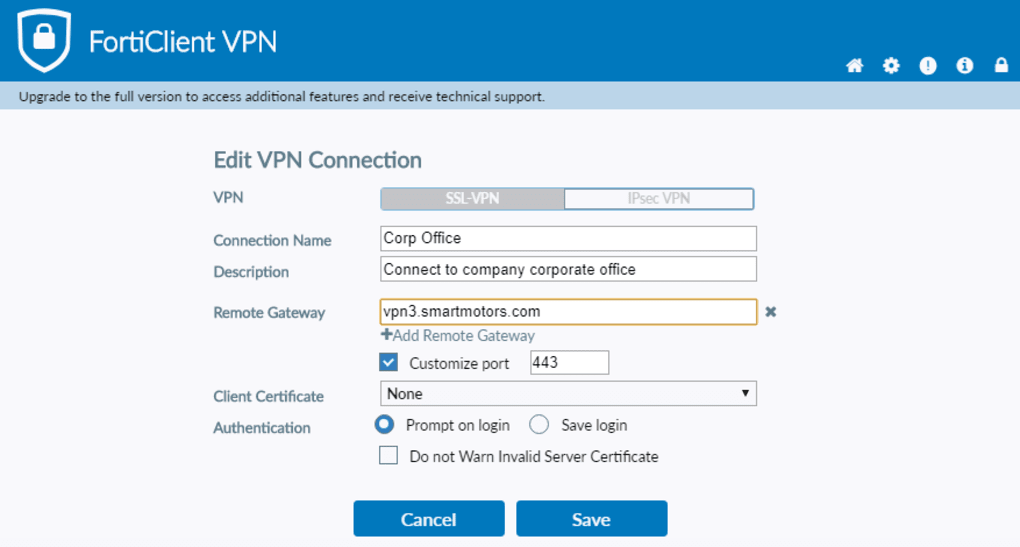
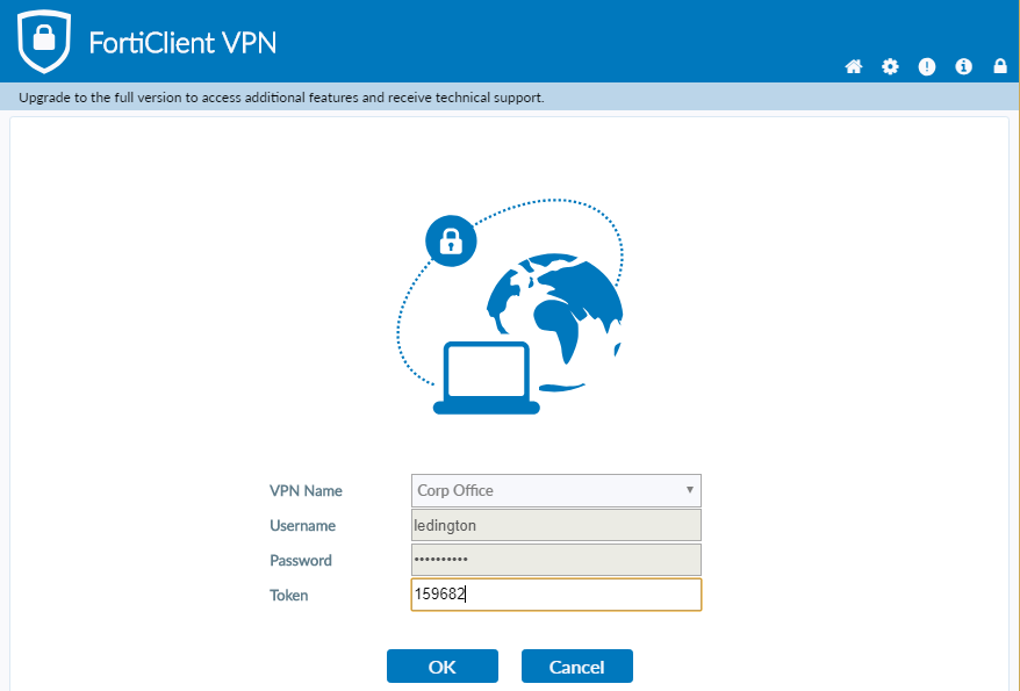
- Enter your VPN credentials (provided by your organization or the free public server list). Choose “SSL VPN” as the connection type and save the profile.
Using the VPN
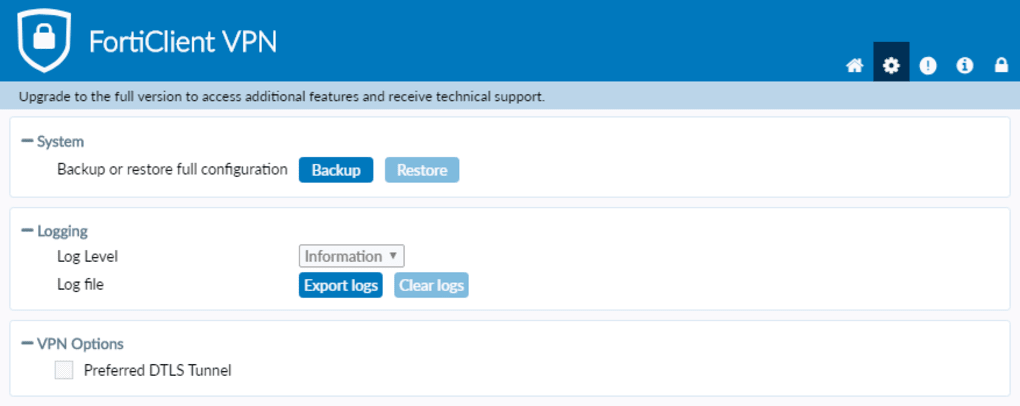
Once configured, connecting is as simple as toggling the “Connect” switch in the FortiClient dashboard. The client automatically establishes an encrypted tunnel and displays connection status, IP address, and data usage statistics. For advanced users, the Settings tab offers options to route specific applications through the VPN, enable split‑tunneling, or enforce “Always On” mode for continuous protection.
Compatibility (itemprop="operatingSystem")
FortiClient VPN supports the following platforms:
- Windows: Windows 10, Windows 11, and Windows Server 2016‑2022 (64‑bit). Legacy support for Windows 8.1 is available but not recommended for security reasons.
- macOS: macOS 10.15 Catalina and later (including Apple Silicon). The app runs natively on M1/M2 chips without Rosetta.
- Android: Android 8.0 Oreo and newer. Available through Google Play Store with automatic update support.
- iOS: iOS 13 and later. Distributed via the Apple App Store, with support for both iPhone and iPad.
The client adheres to each platform’s security standards, using the OS‑level VPN APIs to ensure the tunnel is established with the highest possible encryption. On Windows and macOS, the firewall component integrates with the native packet filter, while on mobile devices it leverages the built‑in VPN framework to avoid battery drain.
For organizations, FortiClient can be deployed via SCCM, Intune, or Jamf, making large‑scale rollouts painless. The software also respects device management policies, such as requiring a device password or biometric authentication before the VPN can be activated.
Pros, Cons, FAQ & Final Verdict – Is FortiClient VPN the Right Choice for You?
Pros
- Completely free core VPN and endpoint protection features.
- Industry‑grade SSL VPN tunnel with AES‑256 encryption.
- Integrated firewall, anti‑malware, and vulnerability management.
- Cross‑platform support (Windows, macOS, Android, iOS).
- Real‑time event reporting and optional FortiSandbox Cloud analysis.
- Zero‑trust ready and compatible with enterprise management tools.
Cons
- Advanced management (EMS) and some premium features require a paid license.
- Occasional delay in receiving OTA updates on mobile platforms.
- Interface can feel dense for users seeking a minimalist VPN‑only experience.
- Free public server list is limited; most users rely on corporate or self‑hosted servers.
Frequently Asked Questions (FAQ)
Is FortiClient VPN truly free for personal use?
Yes. The core VPN, firewall, and endpoint protection features are offered at no cost. Premium services such as FortiClient EMS, advanced analytics, and dedicated support require a paid subscription.
Can I use FortiClient VPN on public Wi‑Fi without compromising speed?
FortiClient uses high‑performance SSL tunneling, which maintains respectable speeds on most public networks. While encryption adds a small overhead, the impact is generally negligible compared to the security benefits.
How does FortiClient handle malware detection?
The built‑in anti‑malware engine scans files in real time, blocks known ransomware signatures, and can quarantine suspicious executables. Integration with FortiSandbox Cloud provides behavior‑based analysis for unknown threats.
Is split‑tunneling available?
Yes. Advanced users can configure split‑tunneling to route only specific applications or IP ranges through the VPN, preserving bandwidth for local traffic.
What alternatives should I consider if FortiClient doesn’t fit my needs?
Popular alternatives include NordVPN, Surfshark, and ExpressVPN, which focus primarily on privacy and streaming performance. If you need a full endpoint protection suite, consider solutions like Bitdefender GravityZone or Cisco AnyConnect.
Conclusion – Download FortiClient VPN Today
FortiClient VPN delivers a rare combination of enterprise‑grade security and zero cost for its core features. By unifying SSL VPN, firewall, anti‑malware, and vulnerability management into a single client, it eliminates the need for multiple point solutions, reduces administrative overhead, and provides a consistent security posture across Windows, macOS, Android, and iOS devices. While power users may miss some advanced management capabilities without a paid license, the free version is more than sufficient for remote workers, small businesses, and privacy‑conscious individuals.
If you value encrypted connections, real‑time threat visibility, and a platform that scales from a single laptop to thousands of corporate endpoints, FortiClient VPN is a compelling choice. Download it now, configure your first VPN profile, and experience the confidence of a fortified digital environment.
Guides & Tutorials for FortiClient VPN
How to install FortiClient VPN
- Click the Preview / Download button above.
- Once redirected, accept the terms and click Install.
- Wait for the FortiClient VPN download to finish on your device.
How to use FortiClient VPN
This software is primarily used for its core features described above. Open the app after installation to explore its capabilities.
User Reviews for FortiClient VPN 0
No reviews found





.webp)